

When we talk about more efficient text entry on Android, we’re typically talkin’ about one of two things:
Those areas of improvement are all well and good — and plenty important, without a doubt! — but when it comes to serious productivity and work communication, there’s one more type of tool that can make a monumental difference and yet virtually never comes up in the Android typing conversation.
It’s the type of tool that lots of smart workers already embrace on the desktop front but that’s far less common in the mobile world, where it’s if anything even more useful — and that’s an intelligent text expander. Text expanders let you create and save common phrases or even entire paragraphs of text you find yourself typing often and then insert ’em into any text field, anywhere, with a quick ‘n’ simple keyboard command.
There’s one such tool on Android that stands out above the rest, and it just got a massive makeover that makes it even more of an indispensable addition.
Lemme show ya how it works and what it’s all about.
[Psst: Want even more advanced Android knowledge? Check out my free Android Shortcut Supercourse to learn tons of time-saving tricks for your phone.]
My fellow Android-appreciating animal, allow me to introduce — or maybe re-introduce — you to a handy little tool called Typing Hero.
Typing Hero first popped up on my radar a few years ago. But it’s come a really long way since, especially with its recent revamp, and it’s well worth bringing to the surface now as a potential new piece of your Android productivity toolbox.
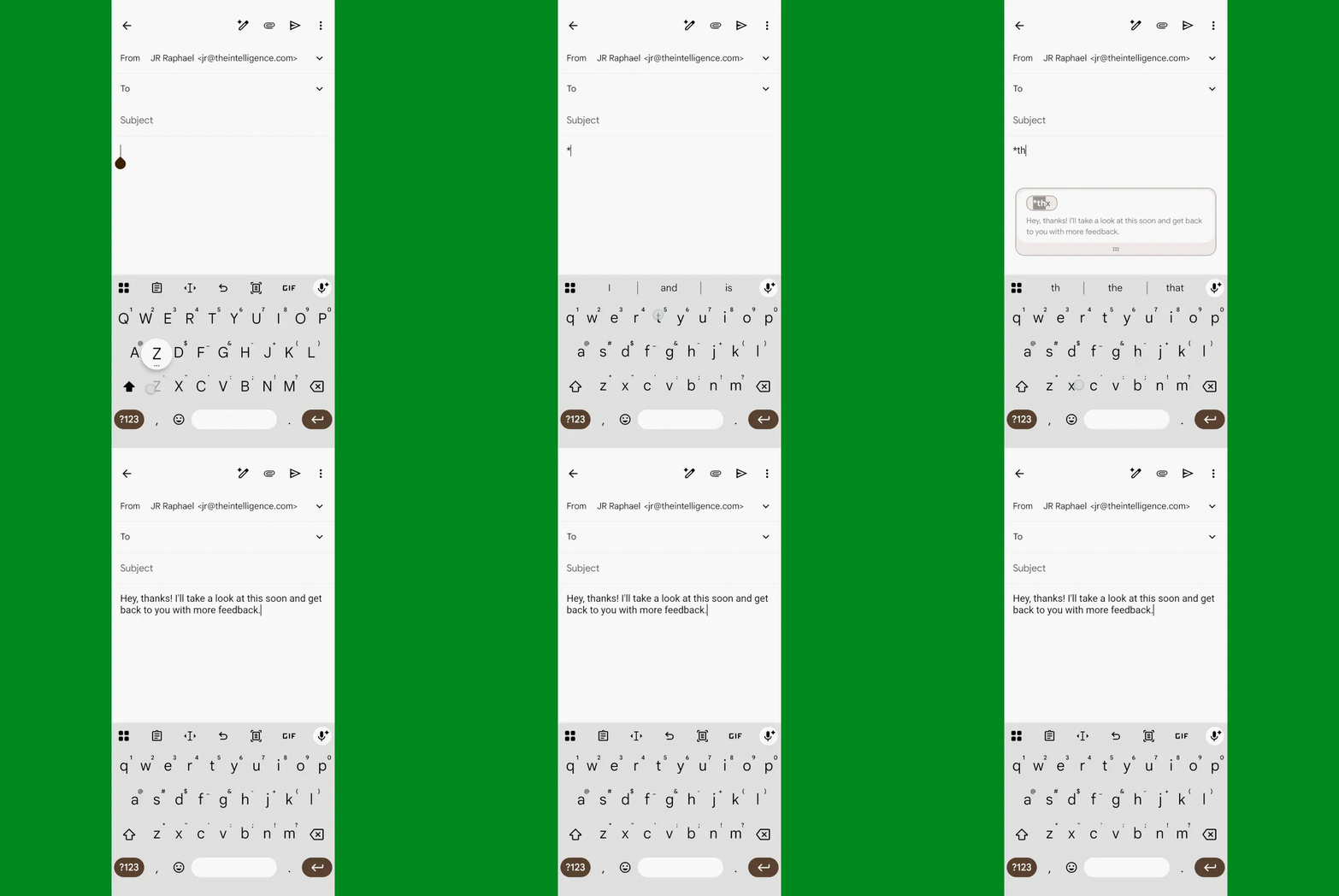
On the simplest possible level, what Typing Hero does is allow you to create prewritten text snippets and then map ’em to specific keyboard commands — short and memorable abbreviations like *thx or *omw that you can type into any text field, using whatever regular Android keyboard app you already use, and then have your full snippet appear right in that same place.
It’s so easy and so effective, it genuinely gives me a jolt of joy every time I see it happen:
JR Raphael, Foundry
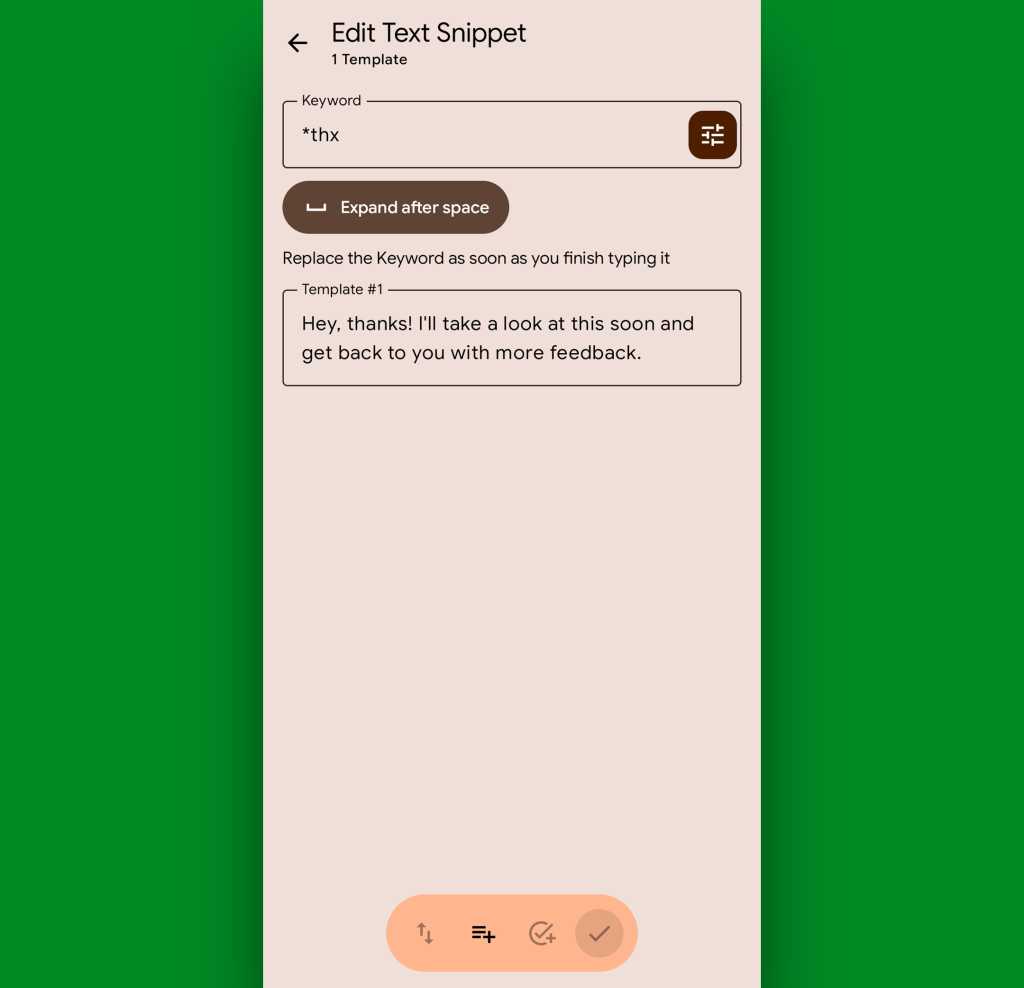
Setting up snippets is super-simple, too: You just go into the Typing Hero app, create a new snippet, and put in whatever keyword and result you want.
JR Raphael, Foundry
That in and of itself is such a smart time-saver, especially if you tend to type the same sorts of stock responses over and over while you’re dealing with emails, Slack messages, or any other kind of communication. And honestly, that’s what’ll make Typing Hero worth having in place for most of us.
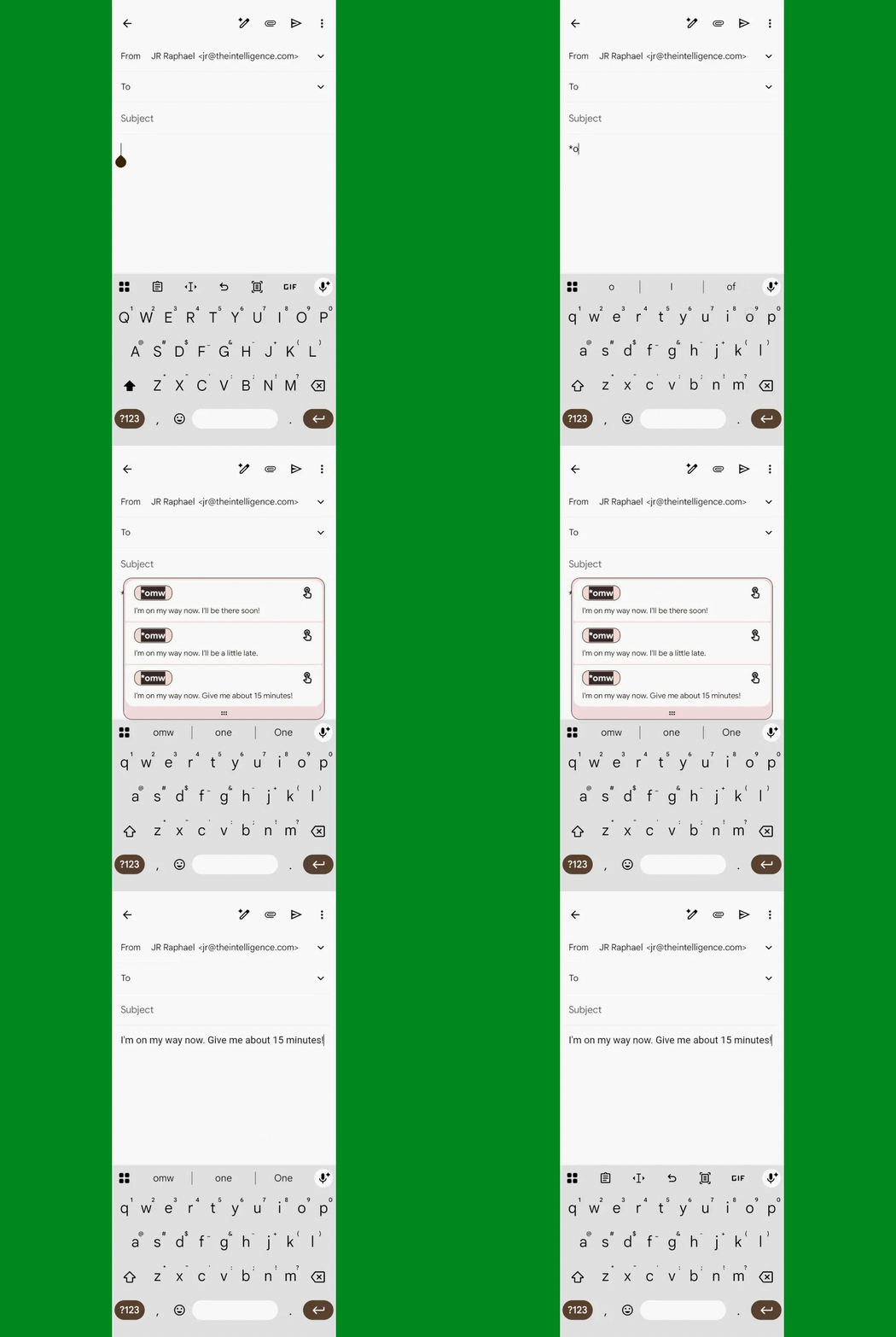
But the app gets even more interesting when you start to explore some of its extra-advanced options — for instance, being able to map multiple snippets to a single trigger keyword and then get a pop-up menu to choose from anytime you enter the term.
JR Raphael, Foundry
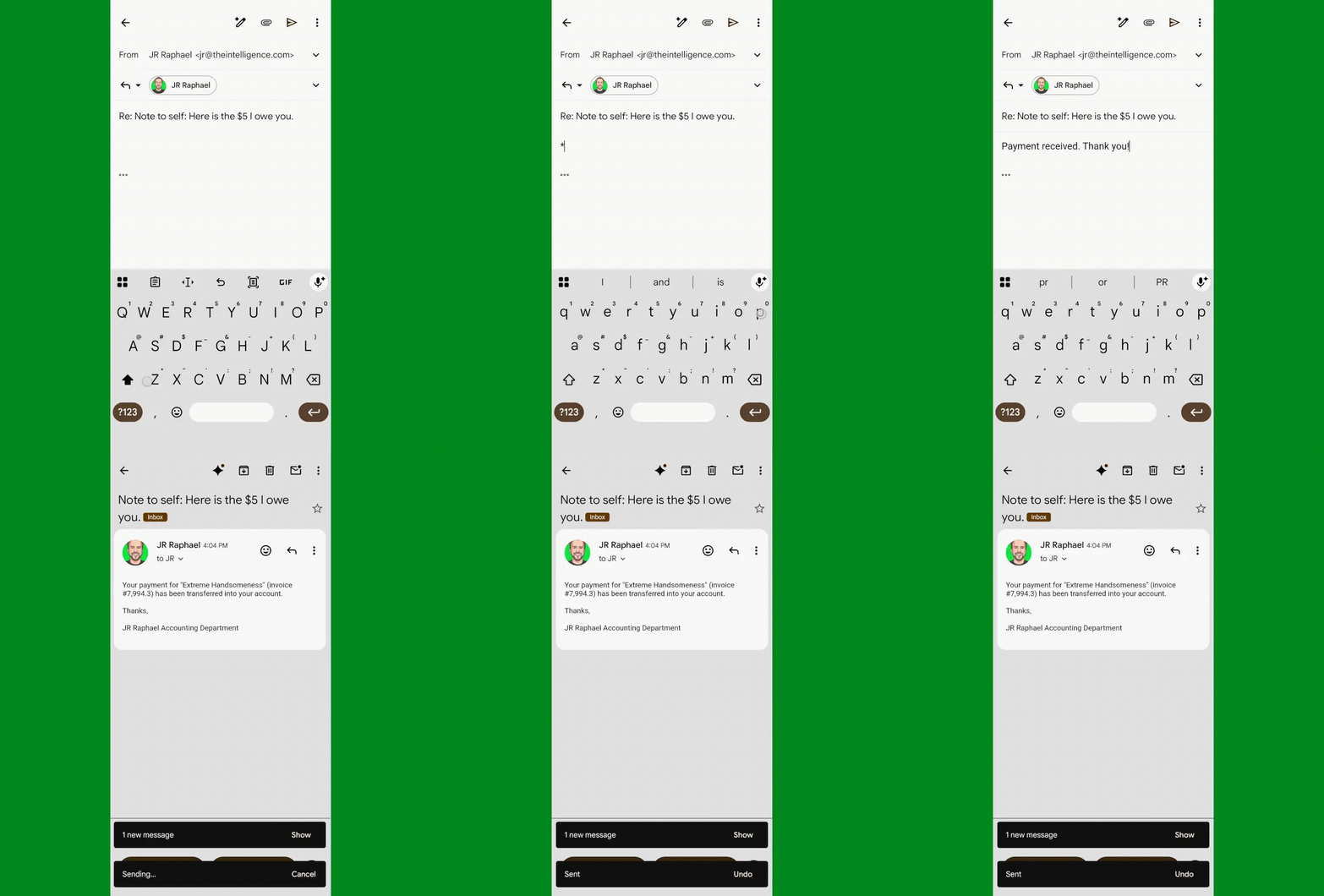
Typing Hero also supports all sorts of advanced commands for actual actions on Android — like automatically hitting send and then moving back to the previous screen as a part of a single keyword.
JR Raphael, Foundry
Not bad for step-saving, right?
Beyond that, Typing Hero can incorporate a bunch of different variables into its snippets — so, for instance, you might have it automatically insert whatever text was most recently copied into your Android system clipboard as a part of a snippet or automatically insert the current date or time.
You can even configure it to pause for your input and ask you to fill in certain blank variables whenever a snippet is activated — if, say, you want to manually type a name or a precise number into an otherwise standard prewritten message.
JR Raphael, Foundry
No exaggeration: This thing feels like a secret weapon. And once you get used to having it in place on whatever device you’re using, you’ll wonder how it wasn’t always there and built right into Android as a readily available asset for everyone.
Oh, and the app is respectful of your privacy, too, with virtually no data ever leaving your device or being used in any way beyond its intended and approved purpose.
Typing Hero is free for up to 20 saved snippets and with certain feature limitations in place, like only being able to use a single snippet per keyword and not having the multiple-choice menu possibility we talked about a moment ago. You can lift all those limitations and unlock its full set of features with the app’s premium version, which costs $20 a month or $60 for a lifetime license.
Whether you go the premium route or just stick with the basic free setup, it’ll save you tons of time and bring a hefty upgrade to your on-the-go productivity. And that, m’dear, is yet another only-on-Android advantage worth celebrating.
Keep the enlightened Android phone-owner knowledge coming with my free Android Shortcut Supercourse. You’ll learn tons of time-saving tricks!


